Run your pickleball tournament on MedalRound
Players sign up and pay online, and the money goes to your own Stripe account. You build the draws and keep score on medalround.com.
How a tournament runs on MedalRound
Create the tournament. A name and a start date are enough to begin.
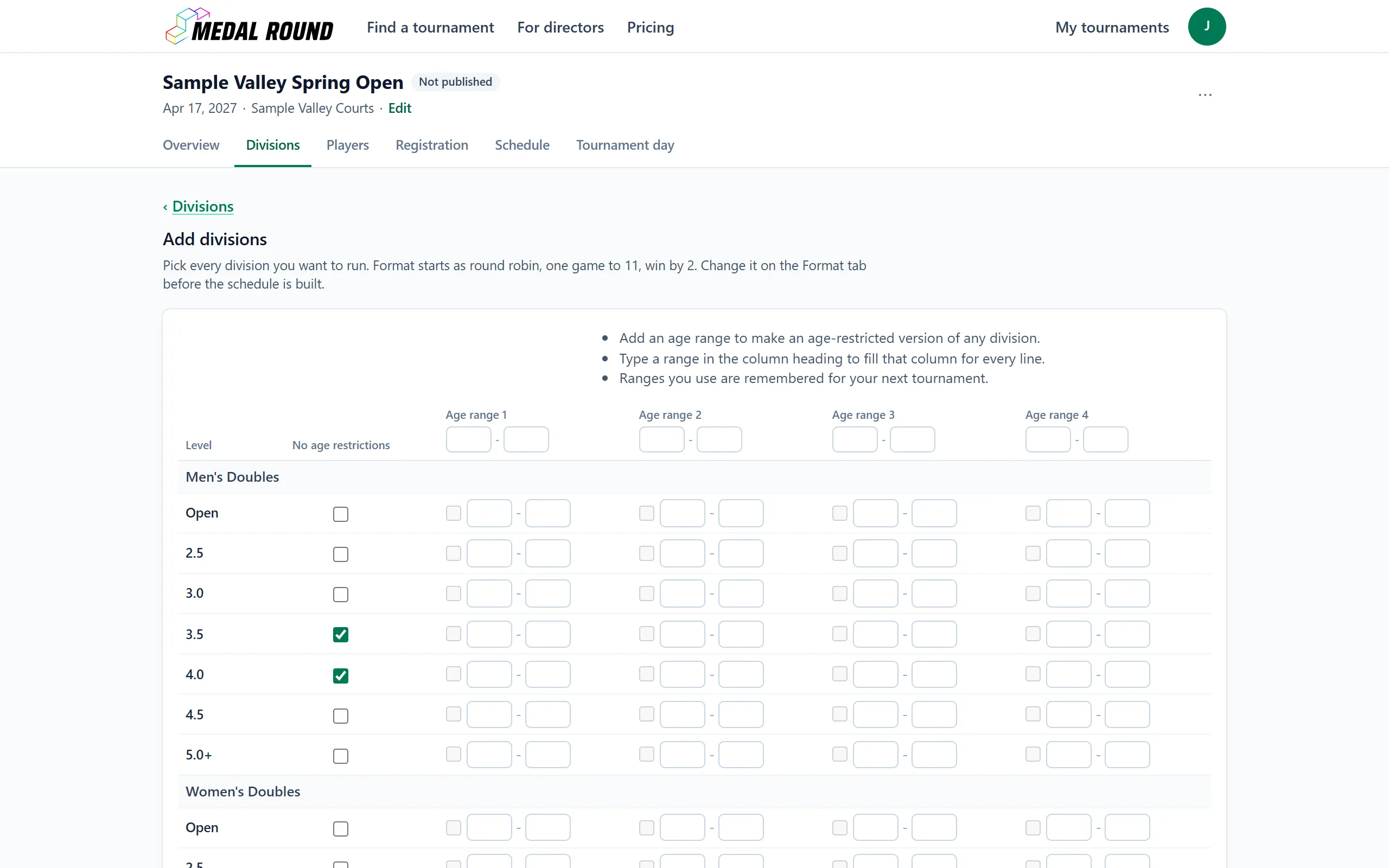
Add your divisions. Choose the events and skill levels you are offering.
Set your price and connect Stripe. Entry fees go into your own Stripe account.
Publish and share your public page. Players sign up and pay from it. Copy its link from the Public page card on the Overview tab.
Put matches on courts. Auto-fill gives your matches courts and times.
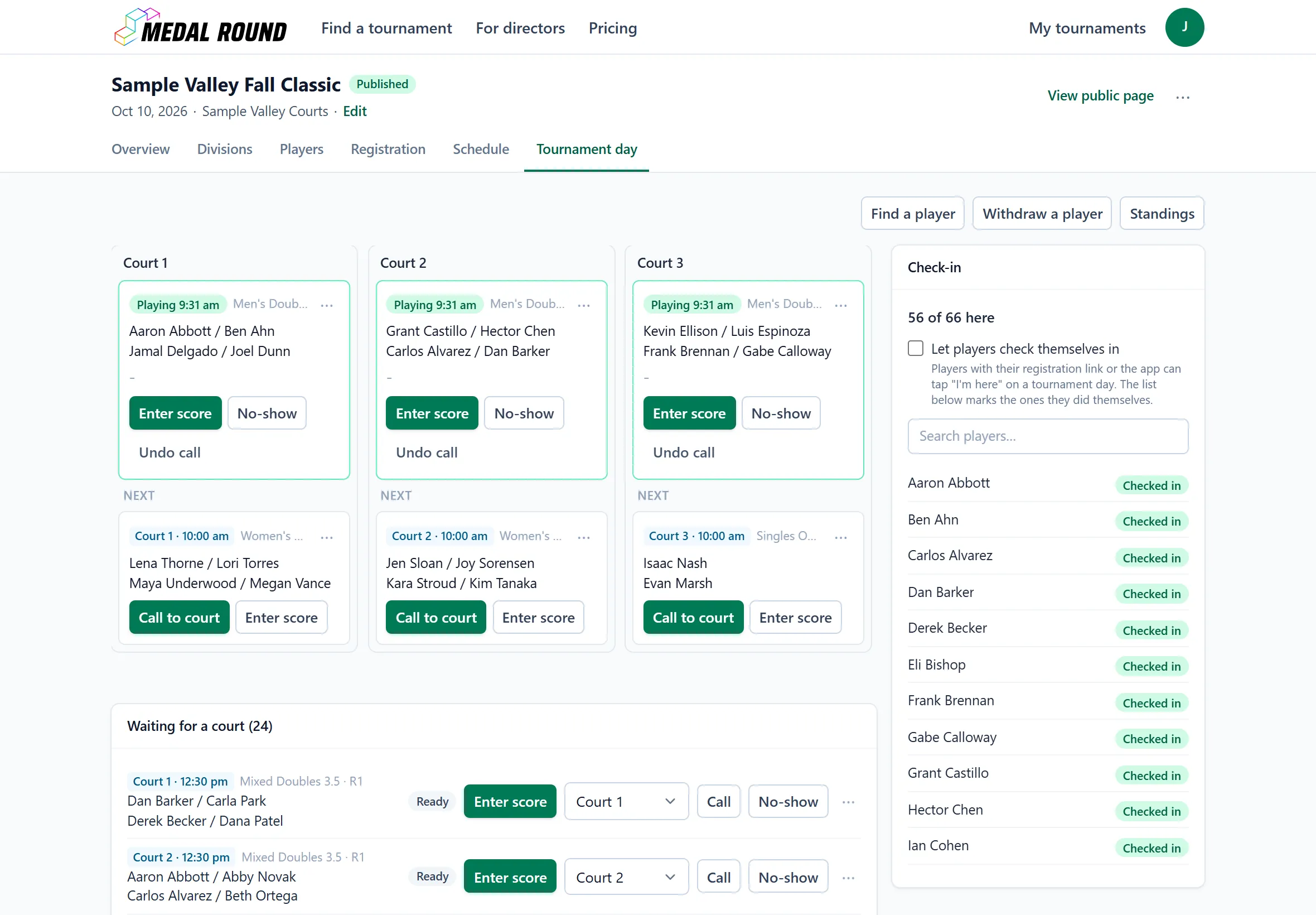
Run the day. Call matches to courts and enter scores. The bracket fills in as winners advance.
What your players see
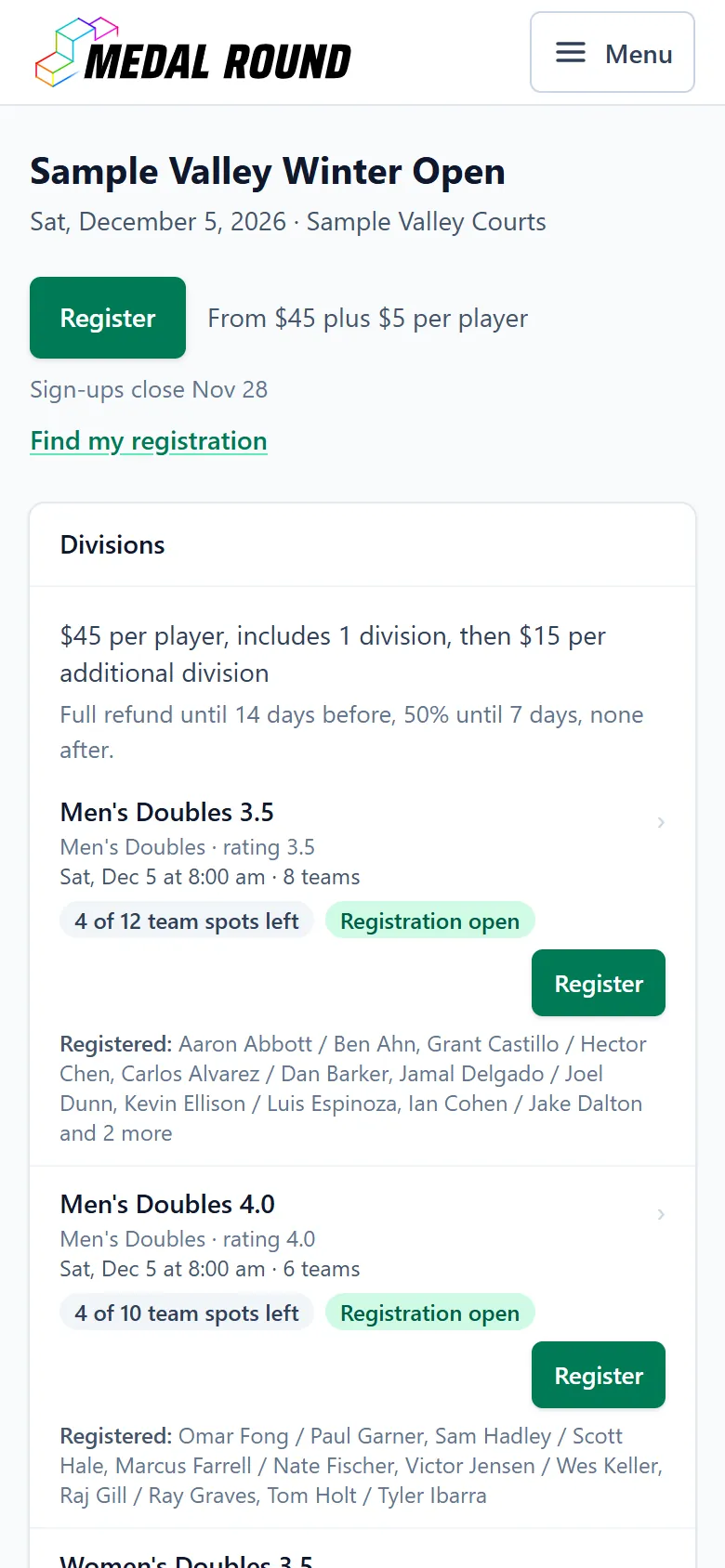
Each published tournament has a public page on medalround.com with its brackets and standings, updated as you enter scores. Players sign up with their email address and manage their entry from the Manage my registration button in the emails MedalRound sends them. They can make a MedalRound account if they want one.
A parent or legal guardian signs up a player under 18 with their own email address, and public pages show that player by first name and last initial.
Your players’ money
Players pay on Stripe’s checkout page, and the money goes to your Stripe account. MedalRound never holds it. You set the refund policy, and players see it before they pay.
Taking entry fees online needs a Stripe account in the United States.
Try it privately
Nothing is public until you publish, so you can build a practice tournament with made-up names first.
Helpers on tournament day
Add helpers from the Helpers card on your tournament’s Overview tab. Each helper signs in with their own MedalRound account and has one role.
A Scorekeeper enters scores on the Tournament day tab. A helper with the Desk role also checks players in, calls matches to courts, fixes scores and withdraws players, and cannot see registrations, payments or player contact details. A Co-director can do everything you can, except connect Stripe, change prices, the refund policy or pairing deadlines, give refunds, cancel the tournament, cancel or restore a division, and add, change or remove helpers. Only a tournament’s director can turn on a club page, from the tournament’s Overview tab, and only the account that turned it on can turn it off or add other accounts’ tournaments to it. A Co-director also cannot take a step that would make MedalRound refund a player or change how much a refund is, such as closing sign-ups while a paid player is waiting for a partner, or moving the start date after players have paid.
What it does not do yet
When you call a match, the call shows on the tournament’s public page and on the registration page of each player in that match. MedalRound does not send a text or an email about it.
Pricing
MedalRound is free for directors. When a player pays to enter your tournament, they also pay a $5 service fee at checkout, once per tournament, however many divisions they enter. A tournament that charges nothing is free for everyone.
Entry fees go into your own Stripe account. Stripe takes its card fee from that account, figured on the full amount the player pays, including the $5. Your payout is the entry fees less Stripe’s fee. Your Stripe dashboard shows your rate.
When a player cancels, the refund follows your refund policy. When you cancel a player’s division, the player gets back everything that division added to their price, whatever your policy says. Canceling the tournament refunds in full every entry still registered that was paid on MedalRound. Refunds are paid from your Stripe balance. The $5 service fee is refunded when a player’s last paid division is refunded in full, including when you cancel the tournament.
An example
You set a $45 entry fee. The player pays $50 at checkout, itemized as $45 entry and $5 service fee. Your Stripe account receives the $45 entry fee, less Stripe’s processing fee on the $50 charge.
Common questions
Waivers
A new tournament starts with a standard waiver that MedalRound wrote.
To copy a waiver you saved on a past tournament, press Create tournament on My tournaments and check Use details from past tournament and Waiver.
The Policies card on the tournament’s Registration tab shows the waiver to read and edit, and asks you to read a copied one before sign-ups open.
Each player accepts the waiver before entering, and MedalRound records which version each player accepted and when.
The standard waiver is a starting point, not legal advice. Check its wording with your facility or your insurer.
Your player data
The Registration tab shows you each player’s registration so you can run your event.
Download list on the Registration tab saves your confirmed players as a spreadsheet file.
MedalRound’s Terms allow you to use player information only to run your event.
MedalRound does not sell player information or share it for advertising.
Player ages
A parent or legal guardian signs up a player under 18 on the tournament’s sign-up form, by choosing “A player under 18, as their parent or legal guardian” under “Signing up for”.
Every email about that registration goes to the parent or guardian’s email address.
Public pages show a player under 18 by first name and last initial.
Your Registration tab and Players tab show the full name. The Registration tab also shows who signed the player up and the player’s age on the tournament’s start date.
For a junior division, type an age range under 18, such as 14 as the oldest age for 14 and under, in the Who can enter card on a division’s Format tab or on the Add divisions page.
Sanctioned events
MedalRound is not on USA Pickleball’s list of approved tournament software.
A tournament sanctioned by USA Pickleball cannot use MedalRound yet.
Internet at the venue
If the connection drops while the Tournament day tab is open, you can still check players in and call matches. MedalRound saves those changes when the connection comes back.
Entering scores and changing matches have to wait until you are back online.
Plan for venue Wi-Fi or a phone hotspot.